Featured Project

Market Price Analysis
A desktop application for market price analysis and preparation of design documentation and cost estimates.
A Windows desktop application that brings supplier quotations, price sources, supporting evidence and project documentation into one structured workflow.
Built to reduce repetitive manual work in market price analysis and generate project-ready Excel and Word documents.
RoleIndependent project
PlatformWindows desktop
StackTypeScript · React · Electron · Node.js
StatusUsed in real project work
The problem
Too much manual work between browser, Excel and Word
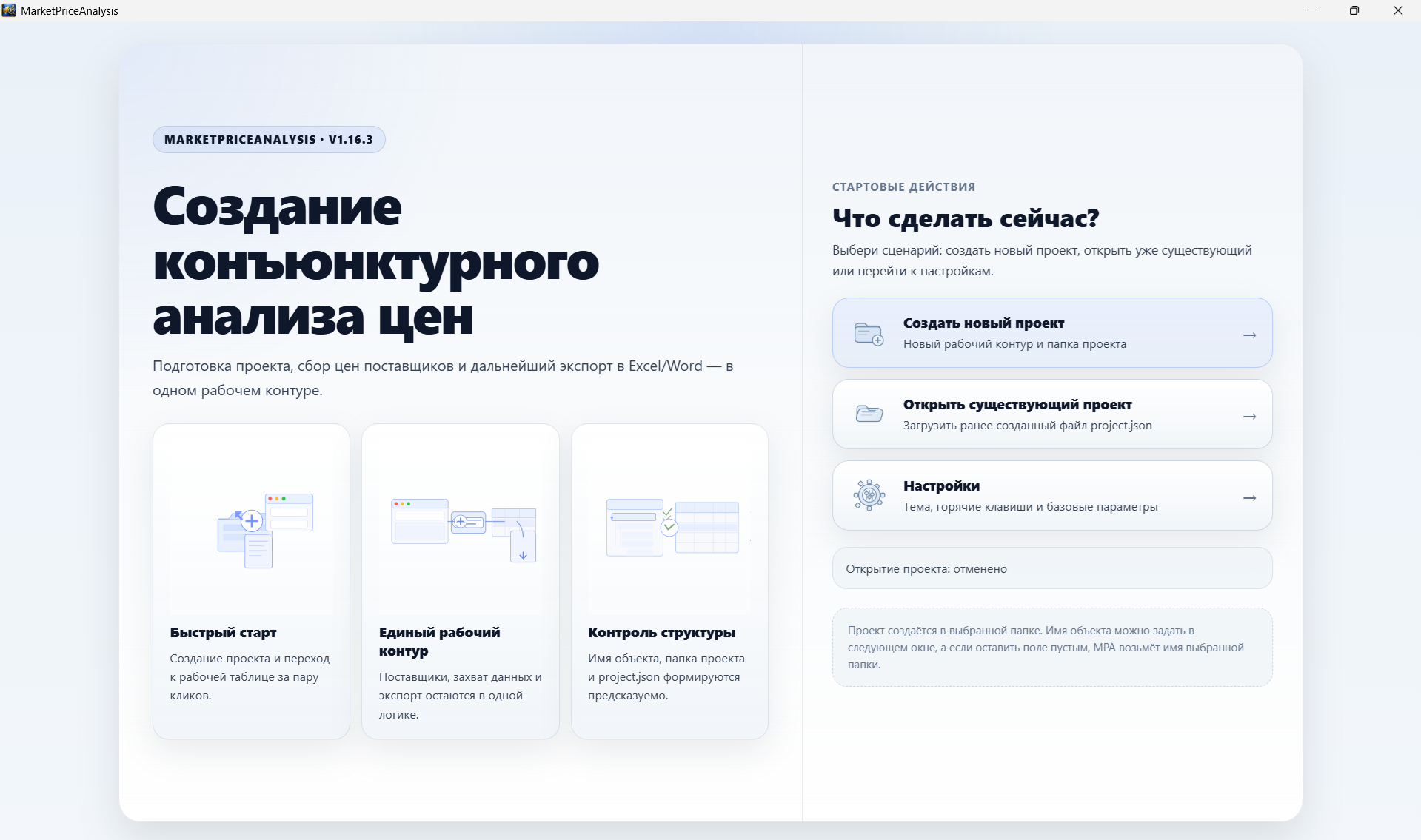
Market price analysis often requires manually transferring prices, URLs, screenshots, supplier details and supporting documents between multiple tools. MPA keeps this information inside one project and automates much of the final document preparation.
One structured workflow
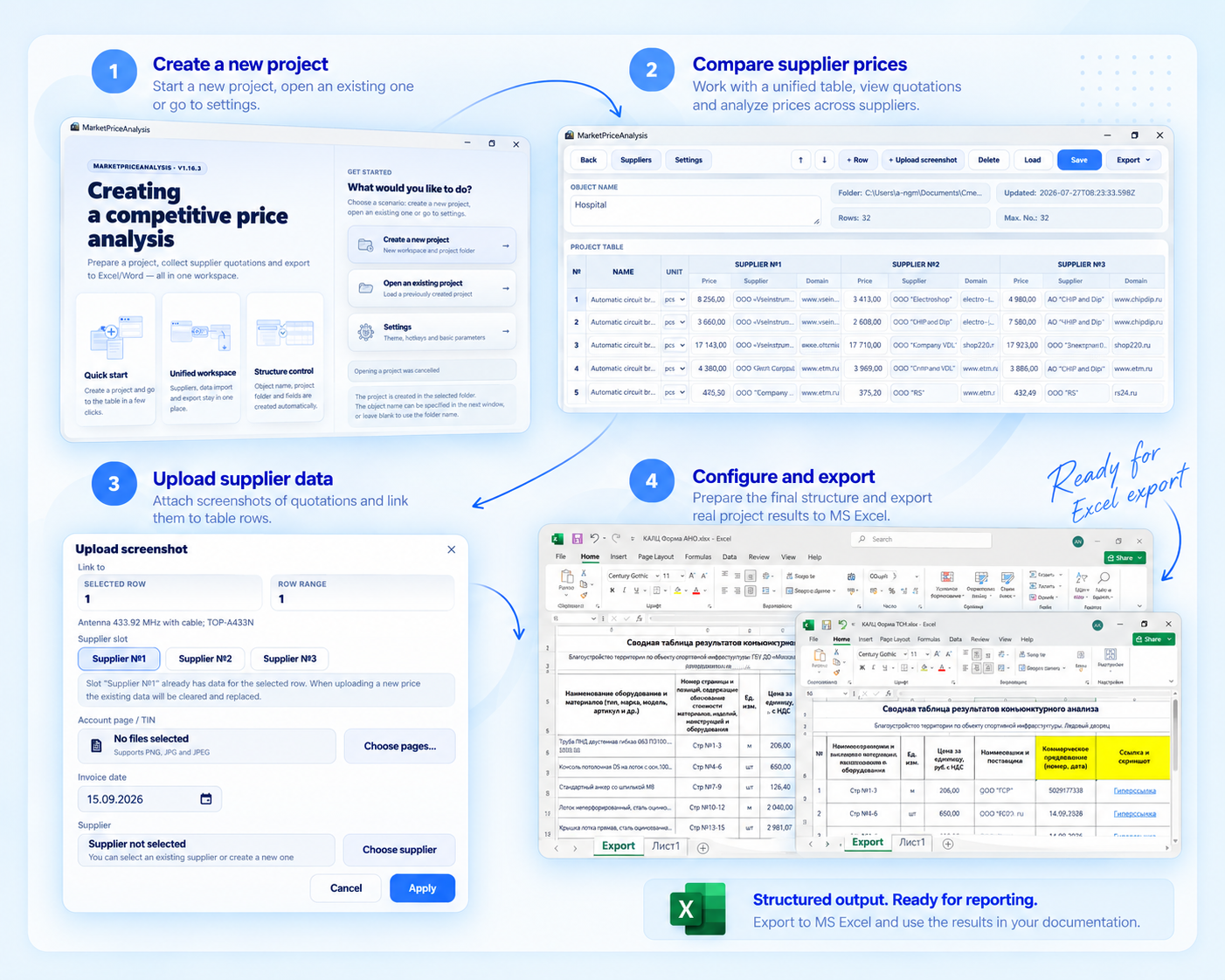
- 01
Create a projectDefine the project and working structure.
- 02
Add materials and equipmentMaintain the list of analysed items and measurement units.
- 03
Collect supplier offersStore up to three supplier quotations for every item.
- 04
Capture evidenceSave price, URL, date and supporting screenshots.
- 05
Verify suppliersMaintain structured supplier information.
- 06
Generate documentsProduce required Excel and Word outputs.
Core workspace
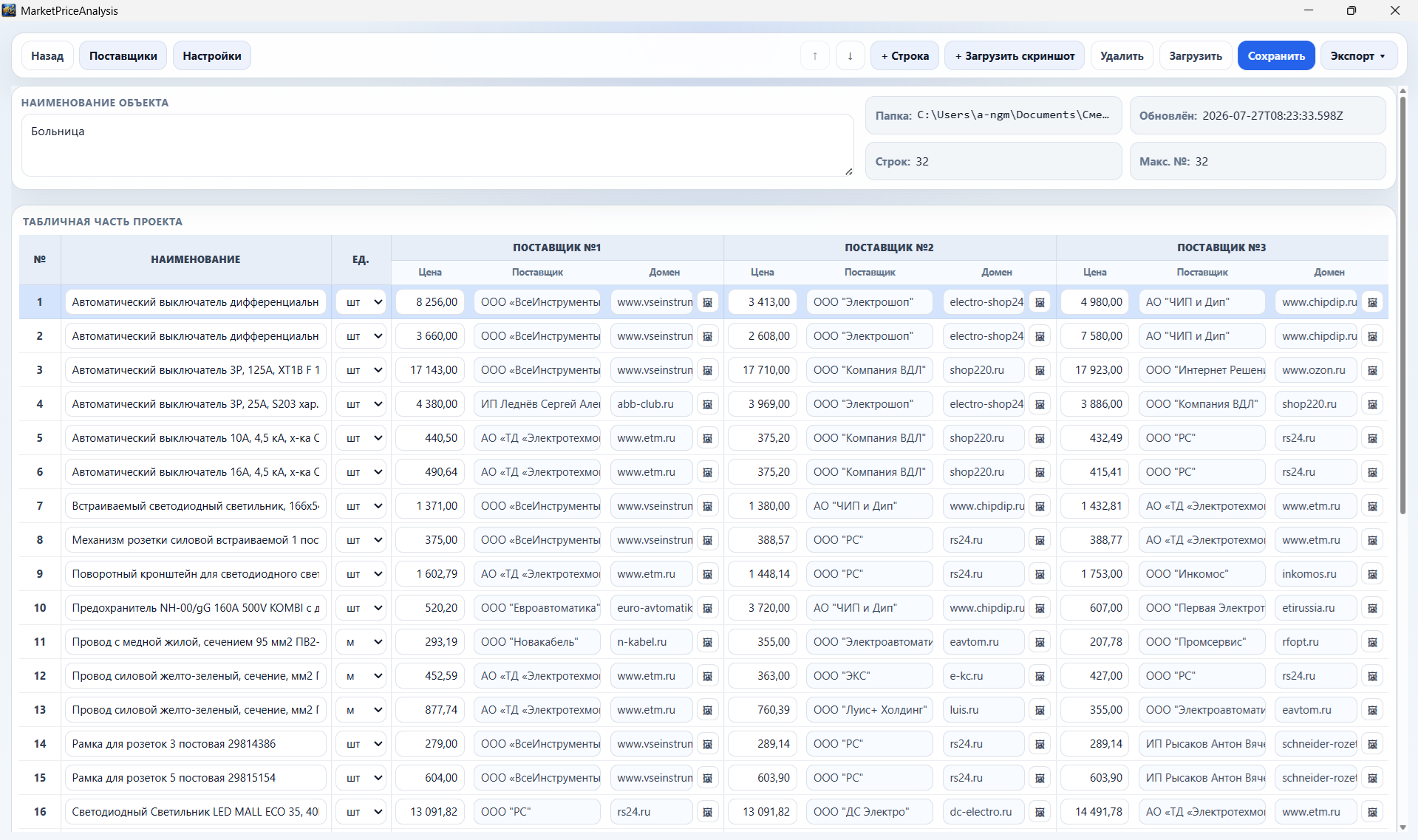
The main project view with items, supplier quotations and source links. All key information is kept in one place.
-
Materials and equipment listMaintain analysed items and measurement units.
-
Up to three supplier offersStore and compare quotations for each item.
-
Price and source URL storageKeep price, date and source links with each quotation.
-
Supplier associationLink items to suppliers from the database.
-
Structured project dataAll information is kept in one project file.
Fast evidence capture
Capture without breaking the workflow.
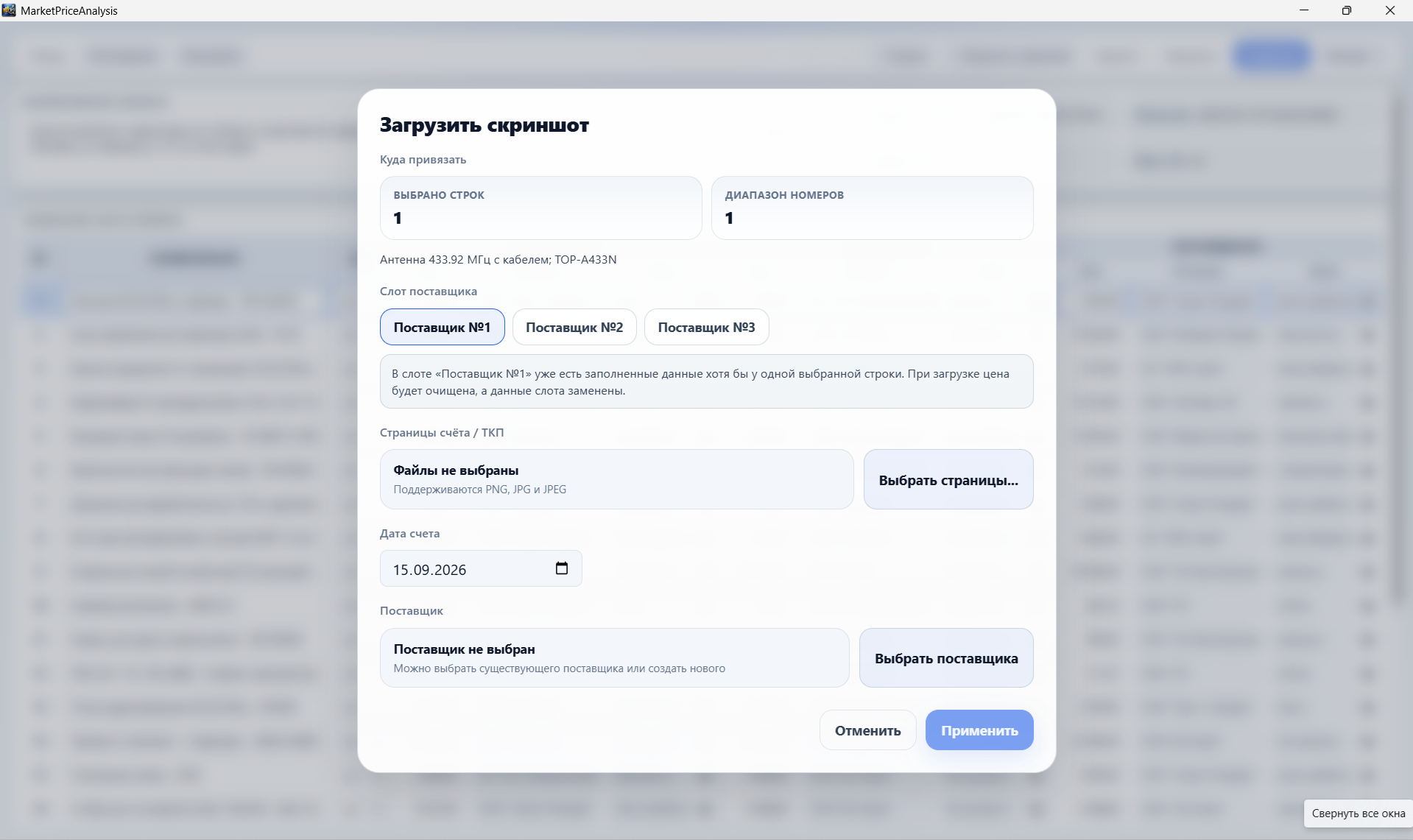
MPA supports keyboard-assisted capture of prices, source URLs and screenshots, as well as manual attachment of screenshots, invoices and multi-page commercial quotations. Evidence can be assigned to one of three supplier slots.
Supplier data
Maintain complete and structured supplier information.
- Supplier name
- Domains
- Tax and registration details
- Legal address
It can assist with filling supplier details from copied Rusprofile data, followed by user verification.
From collected data to project-ready documents
The application generates Excel and Word documents based on collected project data.
- price analysis summary;
- supplier tax-ID table;
- project-specific spreadsheet forms.
- screenshot and evidence report;
- source URL report;
- supplier information;
- other project-specific document formats.
Built from a real workflow
MPA began as a practical solution to repetitive work encountered while preparing market price analysis for cost-estimation documentation. It has since been repeatedly used and refined as new requirements appeared in real project work.
2–3× fasterfor comparable document preparation in my own workflow versus the previous manual process.
Technology
The application is packaged as a standalone Windows program, so the end user does not need to install Node.js or a development environment.
 TypeScript
 React
React Electron
 Node.js
Settings / refinement

- Light and dark interface themes
- Configurable project folder
- Configurable hotkeys
- Iterative refinement based on daily use
Explore other projects
Other solutions for industrial operations and business processes.